# Using watchers in VueJs
Watchers in VueJs are functions on the component instance that are executed when a change occurs on a `data` property in the component.
## How to use watchers in VueJS
All watcher functions are placed in an object named `watch` on the component's instance. Basically they are methods and their names must be the **same** with the property name in the `data` option of the component. So if we had a property `age` on the `data` property, the watcher function for `age` would also have a name of `age`.
Take a look at the snippet below
```html
Click the button
{{age}}
{{alert}}
```
The snippet above is a sample of the HTML for the demo.
```javascript
new Vue({
el: "#app",
data: {
age: 19,
alert: ''
},
methods: {
changeAge(){
this.age++;
}
},
watch: {
age(){
this.alert = 'age changed!'
}
}
})
```
What's happening there? when the button is clicked, the `onlick` handler is executed and the `age` is increased by one, since we set a watcher on `age`, the `alert` message is now set with a value and the message displayed on the page.
**Before and after the button was clicked**

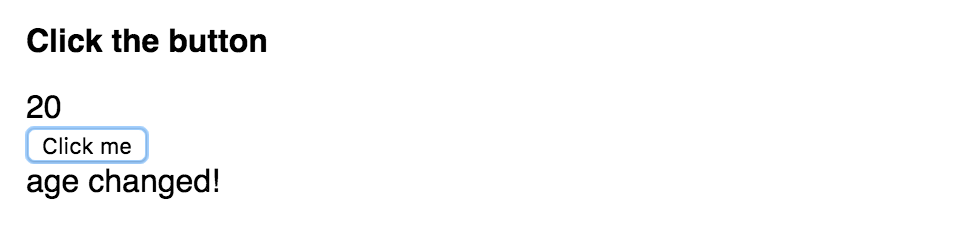
As you see from the screenshots above, when the button is clicked, the alert message is then displayed.
### Parameters in watcher functions
Wacther functions can be set with two parameters which arguments are passed to when being executed:
1. The new value of the property being watched.
2. The previous value of the property being watched.
Take a look at the snippet below:
```html
Click the button
{{age}}
{{alert}}
```
From the code above, the app would look like this now:
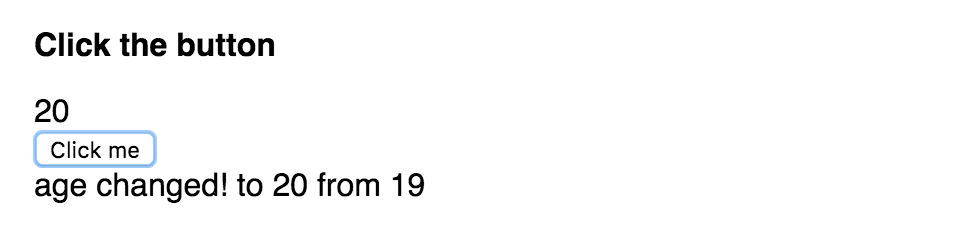
**Warning!**
Only use watchers for expensive actions, for simple actions like updating another data property based on the new value of another, use a [computed setter](https://vuejs.org/v2/guide/computed.html#Computed-Setter "computed setters").